Using the documentation
Find your way around the help docs — categories, the sidebar, the on-this-page menu, and full-size images.
This help centre is built to be easy to skim. Here's how to get around it and find what you need.
Browse by category
The Documentation home lists every category — Getting Started, Your Characters, Pathfinder 2e and Pathfinder 1e, Running a Campaign, and more — each with its articles and a short description. The same categories appear in the sidebar on every page, with your current article highlighted so you always know where you are.
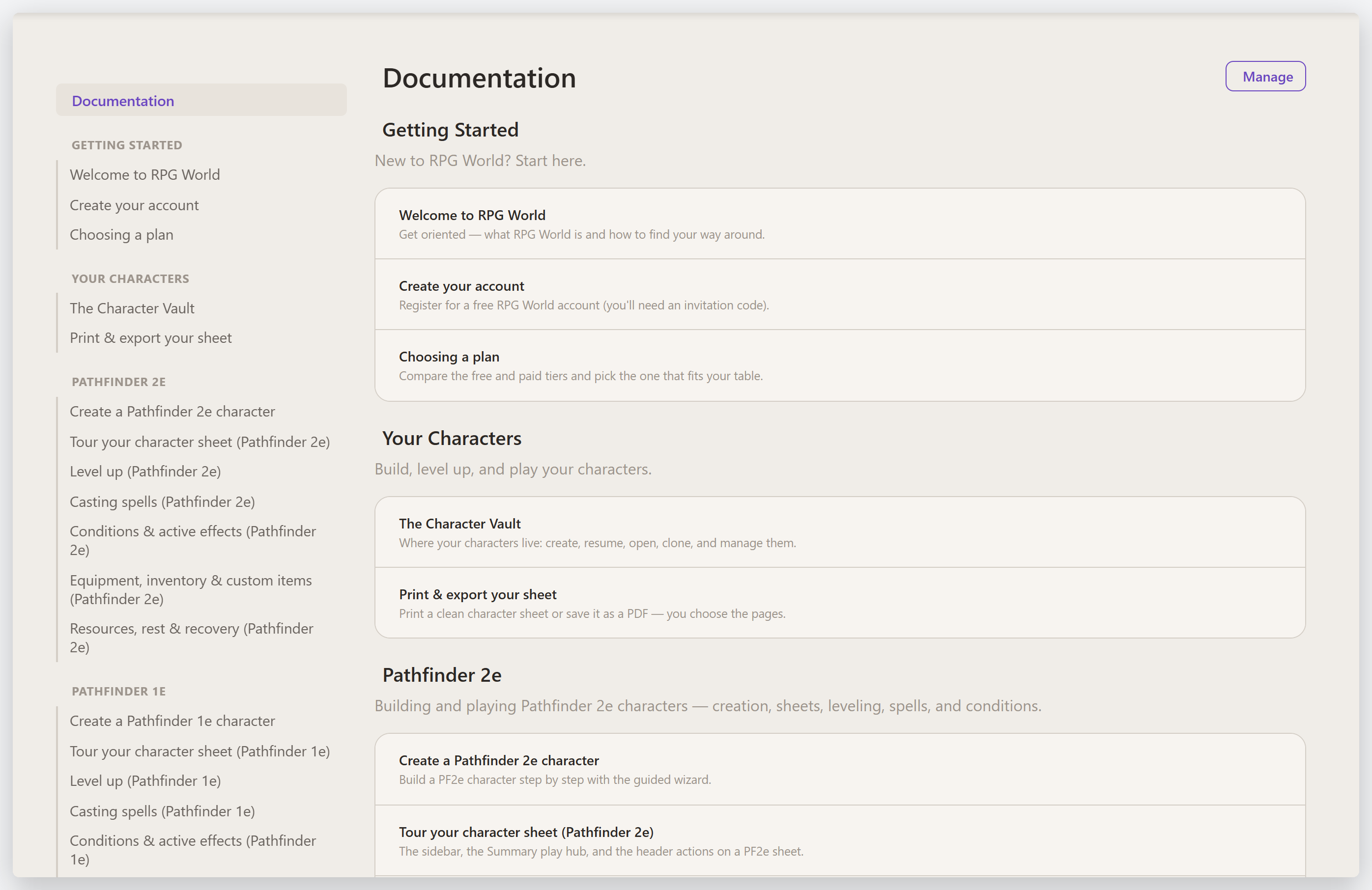
Jump within an article
Longer articles have an On this page menu (on the right) listing their sections — select a heading to jump straight to it. As you scroll, the current section stays highlighted.
See images full size
Screenshots are annotated to point out the exact controls. Click any image to open it full size in an overlay, then click anywhere (or press Esc) to close it.
Tip: game-specific guides live under the Pathfinder 2e and Pathfinder 1e categories; shared topics (campaigns, the dice roller, your account) have one guide that covers both systems.
Last updated July 31, 2026