Get help & report a bug
Report a bug, ask for help, or send an idea — and track it to resolution.
Hit a bug, stuck on something, or have an idea? You can tell us right from inside RPG World. Every message becomes a ticket you can follow up on, and you'll get an email whenever we reply. This guide shows you how to send one and track it.
Pick the right kind of ticket
Open My Tickets (the ticket icon in the top bar) and select Submit a Ticket. You'll choose from a few types so your message reaches the right place:
- Bug Report — something is broken or not working as expected.
- Support — account help, billing, or a how-to question.
- Feature Request — an idea for something new or improved.
- Subscription — billing, plan changes, refunds, or tier questions.
- General Inquiry — anything else, like sales or partnerships.
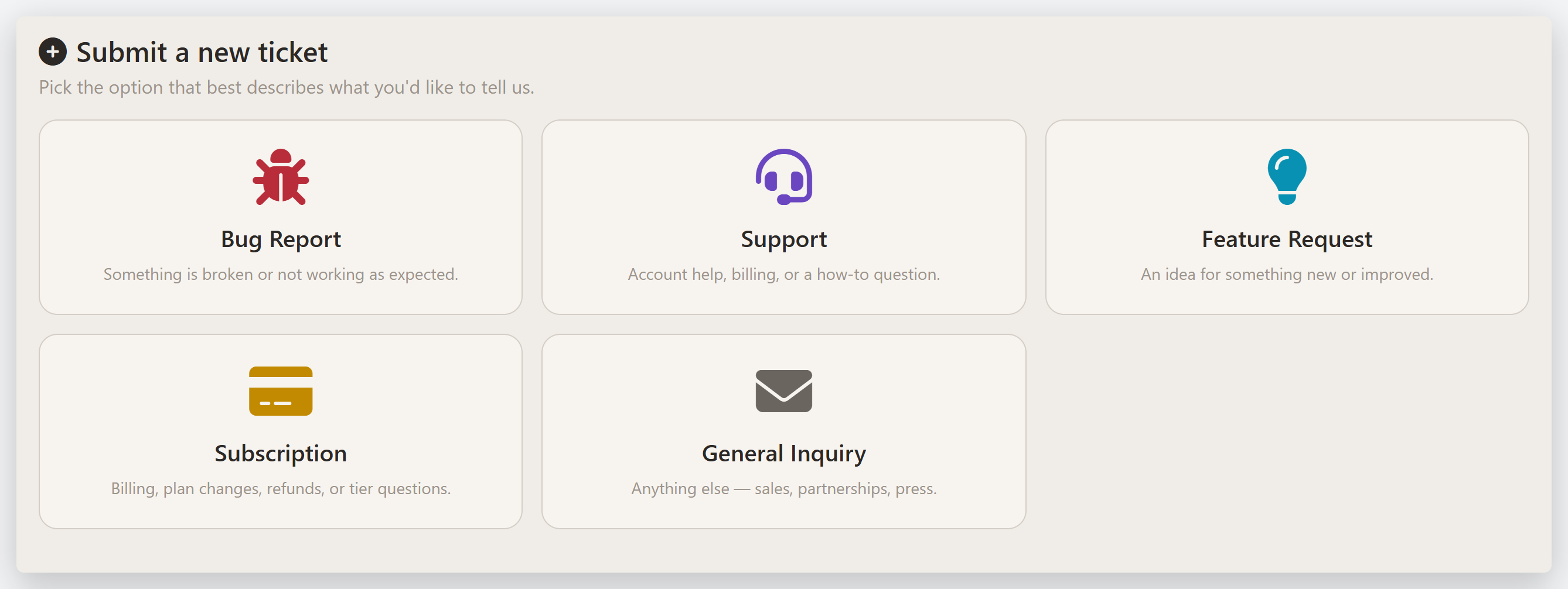
Report a bug
Choose Bug Report and fill in the form. The more specific you are, the faster we can fix it:
- Character — pick the character you were using when it happened, so we can reproduce it on the exact build. Not tied to one character? Choose None — General Bug.
- Game System — optional; leave it general if it isn't specific to Pathfinder 1e or 2e.
- Category — the part of the app affected (a spell, a feat, the character sheet, and so on).
- Title — a brief summary of the problem.
- Description — the important part: what you expected, what you actually saw, and the steps that led to it.
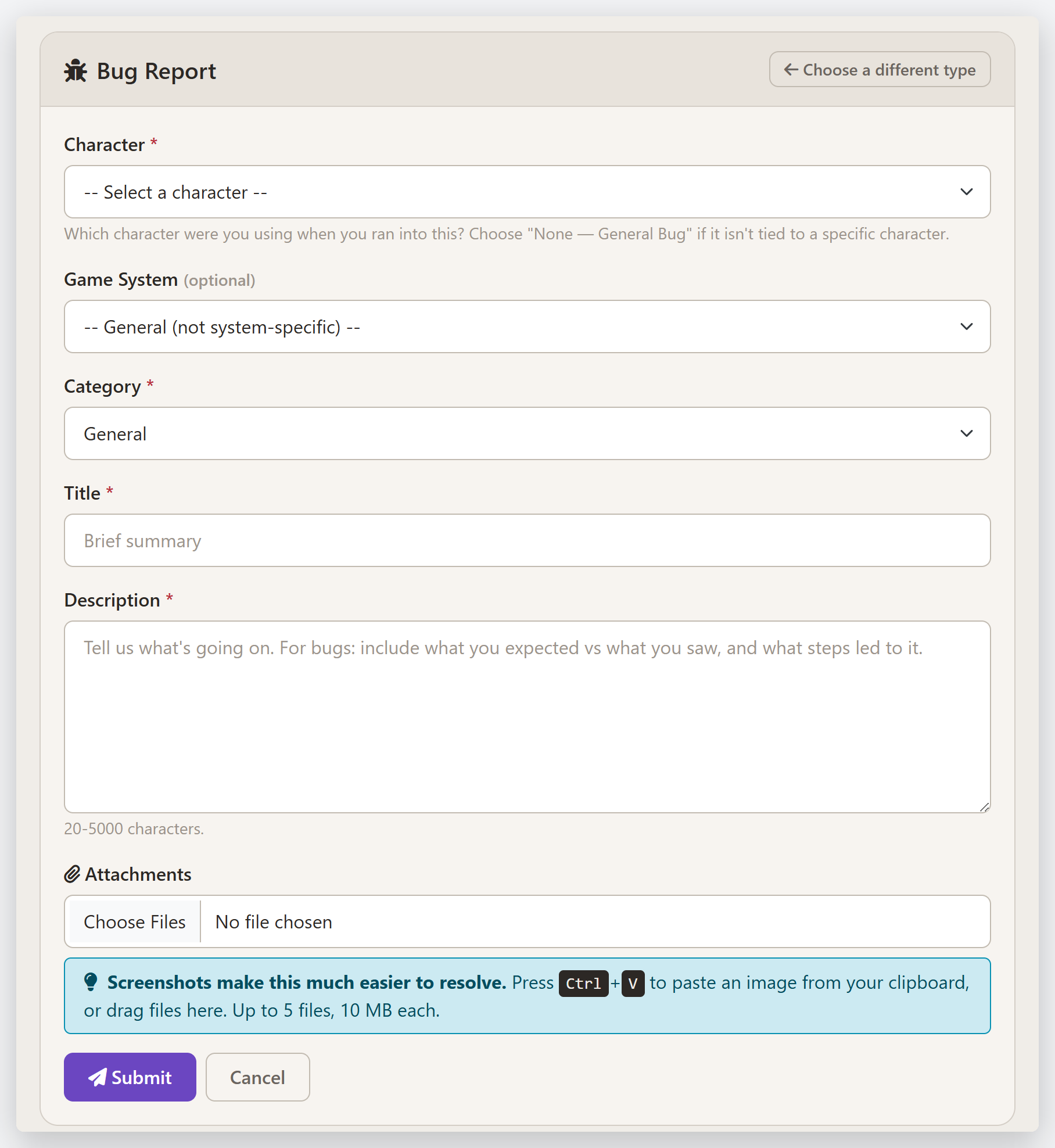
Screenshots make a huge difference. On the form you can paste an image straight from your clipboard with Ctrl+V, or drag files in — up to 5 files, 10 MB each. A picture of the wrong number is worth a thousand words.
Select Submit and you're done — you'll get a reference like TKT-1234 to track it by.
Track your tickets
Everything you've sent lives on the My Tickets page. Each ticket shows its current status, and you can search or filter by type (and toggle Open only to hide resolved ones). When we reply, you'll get an email and the ticket updates here — just reply on the ticket to continue the conversation, even after it's been resolved.
Tips
- One issue per ticket. Separate problems are easier to track and fix as separate tickets.
- Attach a screenshot whenever you can — especially for a wrong number or a display glitch.
- Name the character. For sheet or rules bugs, picking the character lets us reproduce exactly what you're seeing.
Last updated July 31, 2026